

Mobile app · Private budgeting
Plutus
Your money. Your phone. Nobody else.
Plutus is a free, private budget and money-management app for iPhone and Android. All your financial information stays on your own phone: no account, no company server, no tracking. It includes an optional AI assistant that runs entirely on your phone, even without internet, and answers plain questions about your own money.
- Free
- Private
- Works offline
The problem
Five budget apps. None of them fit.
Generic apps ignore local money
Country-specific banks, credit-card billing cycles, savings and pension products, and payday-based months are rarely handled.
Privacy is traded away
Most finance apps want an account and often a bank connection, so your financial life ends up on someone else’s server.
Paywalls
The most useful features are often locked behind subscriptions.
Charts are hard
Many people don’t want to read a report. They want an answer.
App overload
People end up with several apps, and none fully fits.
What is Plutus
Three promises, built into the architecture.
Private
No accounts, no servers, no tracking, no ads, no analytics. Your records live only in the app’s private storage on your phone.
Local AI
An assistant that runs on your phone and answers from your real records, without sending anything to anyone.
Free
No subscription and no paywall. The creators have committed that Plutus will never be turned into a paid app.
Inside the app
Six screens, the whole picture.
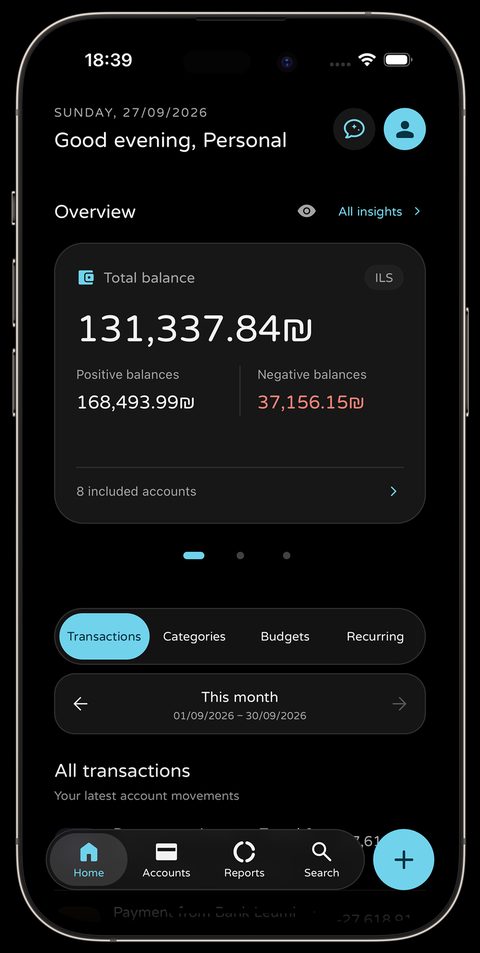
Home overview
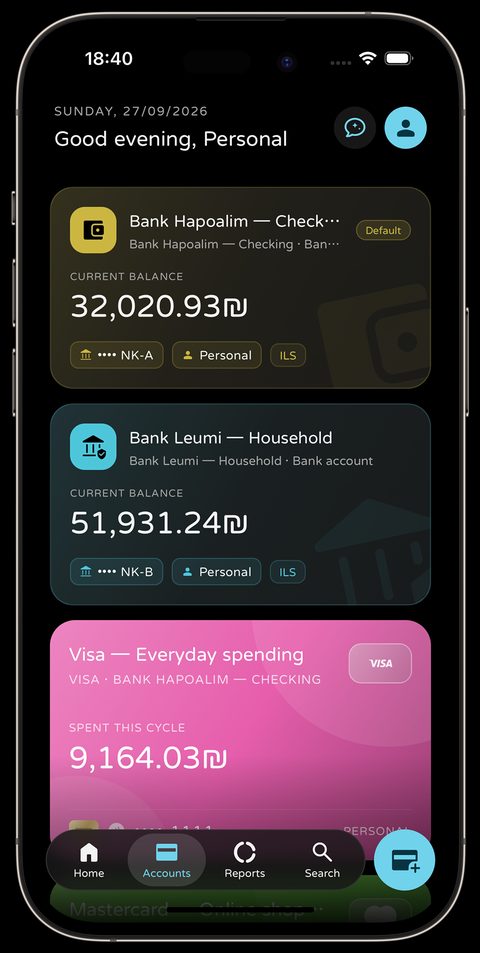
Accounts and cards
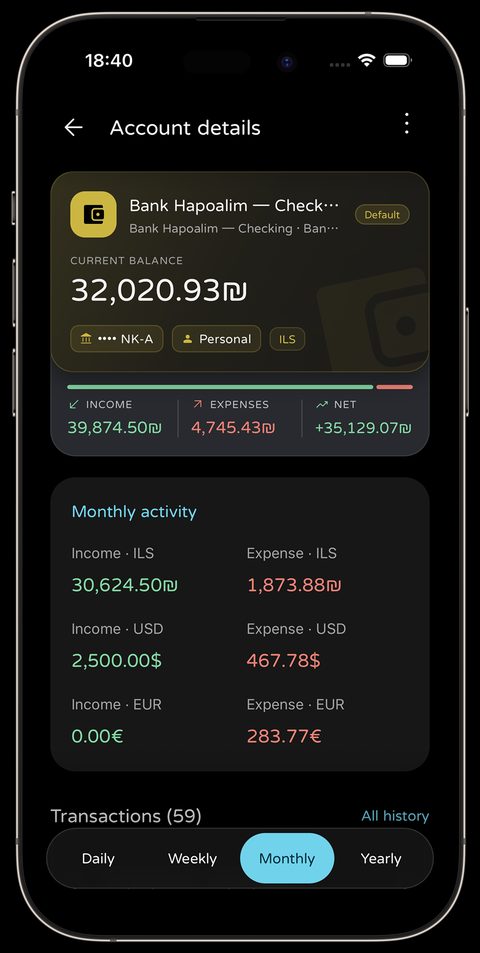
Account details
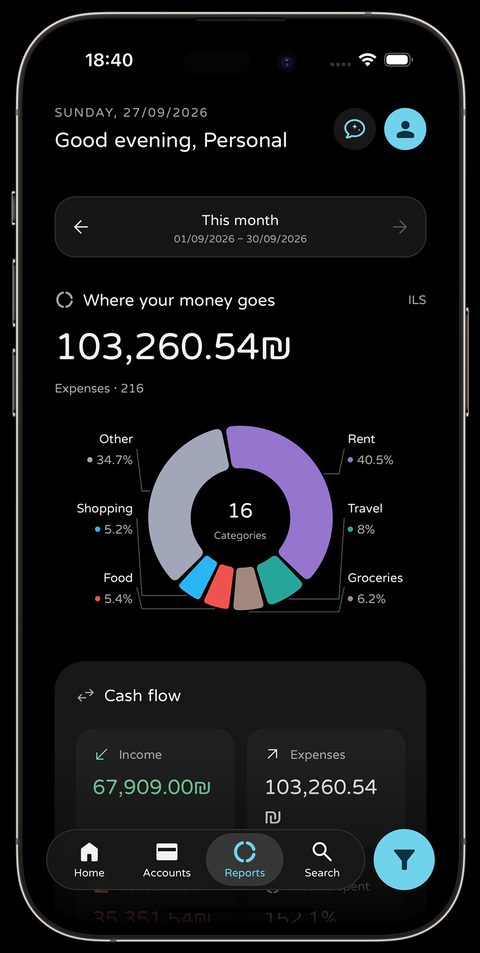
Where your money goes
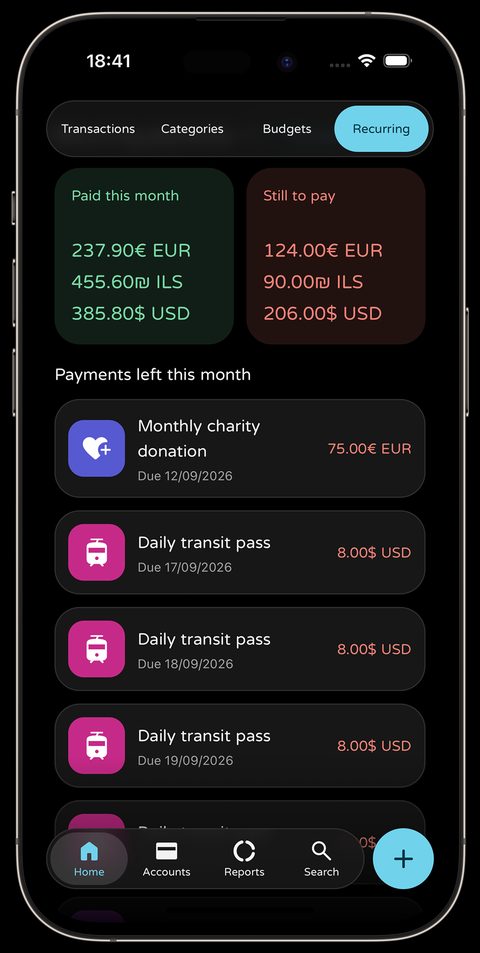
Recurring payments
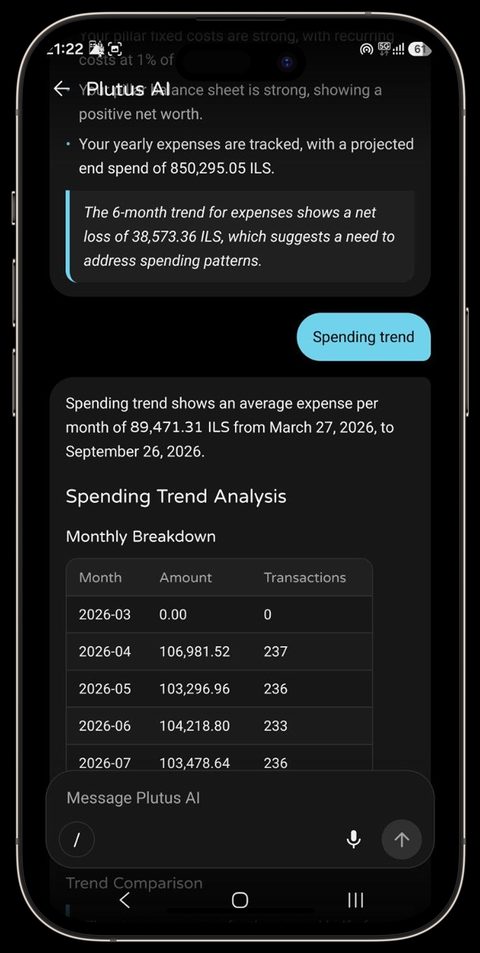
Plutus AI


Features
Everything you need to understand your money.
Everyday money
- Spending, income and transfers with categories, labels, places, people and receipt photos
- Bank, cash, savings and credit-card accounts; card bills settle automatically on the payment day
- Recurring payments such as rent, salary and subscriptions, with optional reminders
- Search in English, Hebrew and Russian
Plans and savings
- Daily, weekly, monthly, yearly or custom budgets that can roll leftover money forward
- Savings with contributions, fees, estimated tax and the real value if withdrawn today
- Pension, provident and study funds, deposits, retirement and tax-advantaged accounts
- Reports: where your money goes, cash flow and daily activity
Made for real life
- Multiple currencies; each record keeps the exchange rate from its day
- Separate profiles on one phone, such as Personal, Freelance and Travel
- A “hide amounts” switch that masks every number on screen
- Light, dark or automatic theme, 8 accent colours, date format and your own month start day
Your data, your control
- Export a full backup (ZIP with photos), data only (JSON) or transactions (CSV)
- Import a Plutus backup, or a backup from the Paisa app
- You decide where backups are kept; Plutus never uploads them
Meet Plutus AI
Ask about your money in plain words.
Type or speak a question in English, Hebrew or Russian. Plutus AI looks at the accounts, spending, budgets, recurring payments and goals you have built up over weeks, months or years, and answers with tables, trends, health checks and forecasts.
- Can I spend 2,000 shekels next month with my current money?
- Where am I overspending?
- How am I doing compared with last month?
- What bills are coming up?
- How can I save more?
How it works
- Download a model once (about 2.6 GB or 3.7 GB). This needs Wi-Fi, free space and a fairly modern phone; Plutus checks your phone first.
- After that, the AI works offline, even in airplane mode. There is no cloud AI fallback.
- When you ask, Plutus searches your records and calculates the numbers with its own tested code.
- The AI explains the results in plain words. It does not make up numbers.
- It can propose a change, such as adding a transaction, but nothing is saved until you review and confirm it.
- Close the chat and the conversation is forgotten. Voice messages are processed on the phone and deleted right after.
Two model sizes, from Google’s open Gemma 4 family
Gemma 4 E2B
Smaller and lighter, for more phones.
Gemma 4 E4B
Larger and more capable, for stronger phones.
AI can make mistakes. Plutus AI is a helpful assistant, not a financial, tax or legal adviser. The rest of the app works on every supported phone, with or without the AI.
Privacy
Privacy by architecture, not by promise.
We didn’t build servers, accounts or APIs that could hold your information, so there is nothing to breach, sell or analyse.
What stays on your phone
Balances, transactions, notes, photos, voice recordings, AI questions and AI answers. None of it is ever sent to us or anyone else.
The only two internet requests, both download-only
- Currency exchange rates. From a free public currency service. The request contains only a currency code like “usd”.
- The AI model. A one-time, optional download from Hugging Face. Nothing about you is sent.
Like any website visit, those services can technically see an internet address. This is unrelated to your finances.
Honest limits
- Plutus does not add its own passcode or encryption yet. Rely on your phone’s lock screen and device encryption.
- Exported backup files are not encrypted. Keep them somewhere safe.
- There is no cloud backup or sync. An optional Google Drive backup is being considered, but it is not available.
- Plutus never connects to banks; you add transactions yourself.
Team and credits
- Alexander Aluf
- Creator and founder
- Project Aurora LTD
- Collaborating on and backing the project
Gemma 4 open models and on-device runtime by Google. Currency data from the open-source currency-api project. Icons from Google Material Symbols (Apache 2.0).